
My eyes felt sanded down by hour six of a coding stretch, dry enough that blinking took actual effort. Screen fatigue is not ordinary tiredness, but a specific kind of visual and cognitive load that builds during long remote workdays spent locked onto one fixed point instead of glancing around a room the way eyes are built to do.
Quick disclosure before diving in — a few of the tools mentioned below are affiliate links, meaning I earn a small commission if you buy through them, at no extra cost to you. I only mention gear I've actually run through real deadline pressure, not stuff I looked up for this post.
Screen Fatigue Is a Specific Kind of Load, Not Just Being Tired
Screens push blue light at a peak wavelength around 450 nanometers, which is high-energy visible light your eyes weren't really built to stare at for eight or ten hours straight. Combine that with a fixed focal distance — the same couple of feet, hour after hour — and the muscles controlling eye focus barely get a chance to relax. Blink rate drops too, which is the actual mechanism behind that gritty, sandpaper feeling, not some vague notion of "tired eyes."
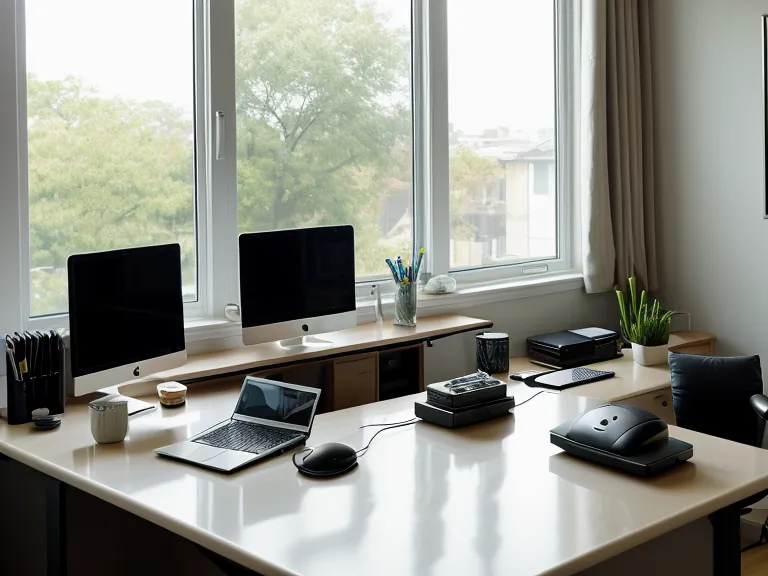
My setup doesn't help, though it's not exactly extravagant: a standing desk wedged into a corner of the living room, two monitors mounted at eye level while the laptop stays closed on its own arm, a half-alive plant on the windowsill that's somehow still hanging on. My phone charges on the kitchen counter, far enough away that grabbing it mid-task takes real effort. It's the closest thing to a dedicated work zone in a room that's also where I eat dinner — which is either the dream or the nightmare of remote work, depending on the week.
None of this is about laziness or lacking discipline. It's a hardware-level problem, the visual system's version of a process that's been running too long without a restart. And it's not only the coding hours doing the damage. A good chunk of a remote workday is video calls, which drain something slightly different, less eye strain and more the exhausting effort of reading faces through a compressed feed, but it adds to the same total load by the time evening rolls around, which is a big part of what remote work burnout actually feels like day to day.
The Standard 20-20-20 Advice Doesn't Work for Coders
Every eye-strain article points to the 20-20-20 rule — look at something 20 feet away for 20 seconds every 20 minutes. Fine advice in theory. Rough advice for anyone trying to hold a mental model of a codebase in their head. Stopping every 20 minutes doesn't just interrupt your eyes, it interrupts the whole stack of context you were building, and the context switch back into what you were doing costs more focus than the twenty seconds of rest ever gives back.
Here's the actual fix, or at least the one that stuck: break at task boundaries instead of on a timer. Finish the function, close the pull request, land the thought — then look away. It respects the shape of the work instead of chopping it up arbitrarily, and your eyes still get the recovery time without your brain losing the thread it was pulling on.
The Habits That Didn't Actually Fix Anything
Honestly, blue light blocking glasses were the first thing I tried, and I wore them religiously for months, clipped over my regular glasses during every coding block, every call. My eyes felt marginally less crispy by evening, sure. But my sleep, which is supposedly the whole point of blocking blue light in the first place, didn't change even slightly. Same restless nights, same groggy mornings. Filtering the wavelength didn't fix a routine problem.
I also tried NeuroPrime during a stretch of unusually heavy logic work, a capsule supplement a few developer friends had mentioned. It helped with sustained thinking, honestly, but the routine around it, remembering it with food and tracking when it would peak, became its own small source of friction, one more system to maintain on top of everything else. What's actually in the capsule is a separate rabbit hole I won't get into here, but timing it against my actual morning routine mattered more than I expected. I wrote more about that early stretch in My Deep Work Experiment: How I Reclaimed My Focus After Three Years of Remote Brain Fog, including the tracking method I used to tell what was actually working.
A reader named Tarkan Wesolowski, a fully remote developer with the same 2 PM crash pattern, emailed in after reading a caffeine-tracking post here and mentioned he'd finally gotten his afternoon caffeine under control through a longer tracking stretch. He said the eye fatigue eased up before the jitters did, which tracks: the caffeine crash and the screen fatigue feel similar from the inside, but they're not the same problem, and treating them as one thing is how you end up fixing the wrong thing. The fifty open Chrome tabs probably aren't helping either, but that's a browser-hygiene fix, not a focus one.
Building a Routine That Handles the Load Without Breaking Flow
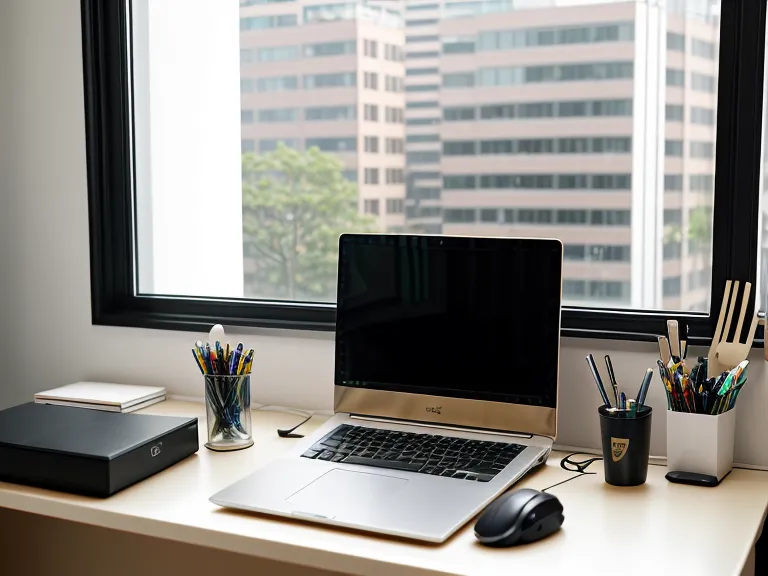
The thing that actually helped didn't involve swallowing anything or setting a timer: The Brain Song, an audio-based approach built around brain entrainment. I was skeptical going in, as it sounded like the biohacker stuff I usually ignore, but the logic tracked for a developer brain. If the screens were loading me up via light frequency, why not use sound frequency to counteract some of it.
What sold me on The Brain Song was the zero friction — no stopping, no remembering anything with food. I put on noise-cancelling headphones and let it run in the background during a rough CSS layout problem, and it just quietly lowered the noise floor instead of doing the jittery peak-and-crash thing caffeine does. As far as focus tools go, it's the lowest-friction one I've used. There's more detail on how to block out home office noise using The Brain Song audio if a noisy street or a housemate's calls are part of your problem too. The Genius Song ended up being the better fit for more creative tasks — different flow-state trigger, same basic mechanism.
These days I can ship a two-hundred-line pull request start to finish without losing my place in it. No re-reading the diff twice to remember what the function was even supposed to do. That's a focus problem solving itself, not a memory problem, and it's worth keeping the two straight when you're troubleshooting your own setup.
I still reach for NeuroPrime on days when I know a long, complex logic stretch is coming — it's useful for mental clarity during complex logic work specifically, less so as a daily habit. For the ordinary grind, the audio-based route handles the actual screen-fatigue side of the problem without asking me to manage another pill schedule.

When Screen Fatigue Is Actually Something Else
This isn't a replacement for an actual medical opinion. If the eye strain comes with headaches that don't quit, blurred vision, or pain that sticks around after you've stepped away from the screen for a while, that's a conversation for an eye doctor or your regular physician, not a supplement stack. What's described here is what worked for one remote developer's setup, not a diagnosis for anyone else's.
If you're dealing with the sandpaper-eye version of a long remote workday and want something that fits into an actual workflow instead of adding another pill to remember, The Brain Song is the one I'd point you to first. It's under fifty-five bucks, runs in the background, and it's done more for the screen-fatigue side of this than anything else I've tried, blue light glasses included.